

Human resources
Send offer letters, employment contracts and policy acknowledgements to employees and managers in the right order.
Use cases
Send offer letters candidates can accept and sign from their phone.
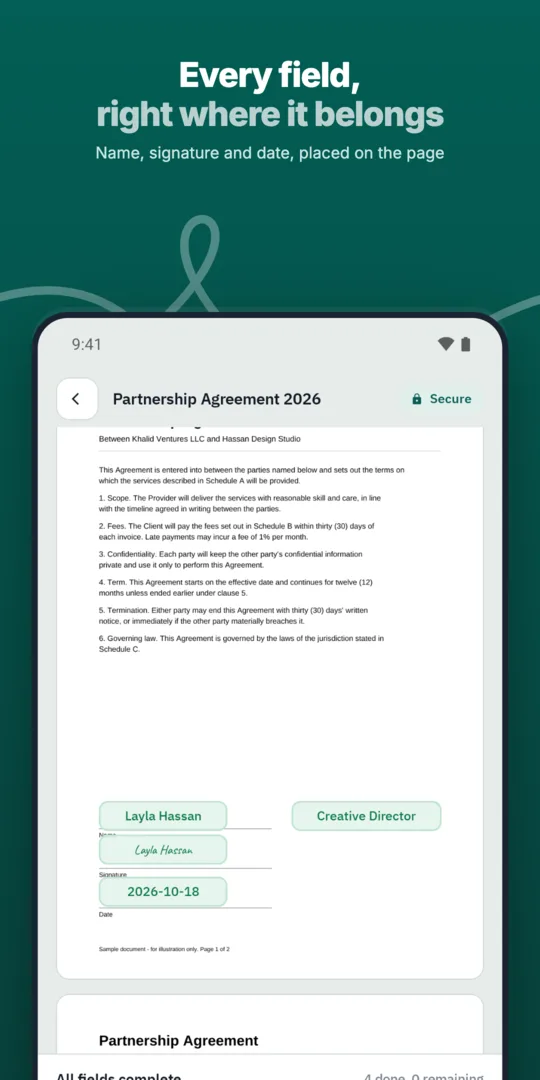
Prepare the offer from a template.
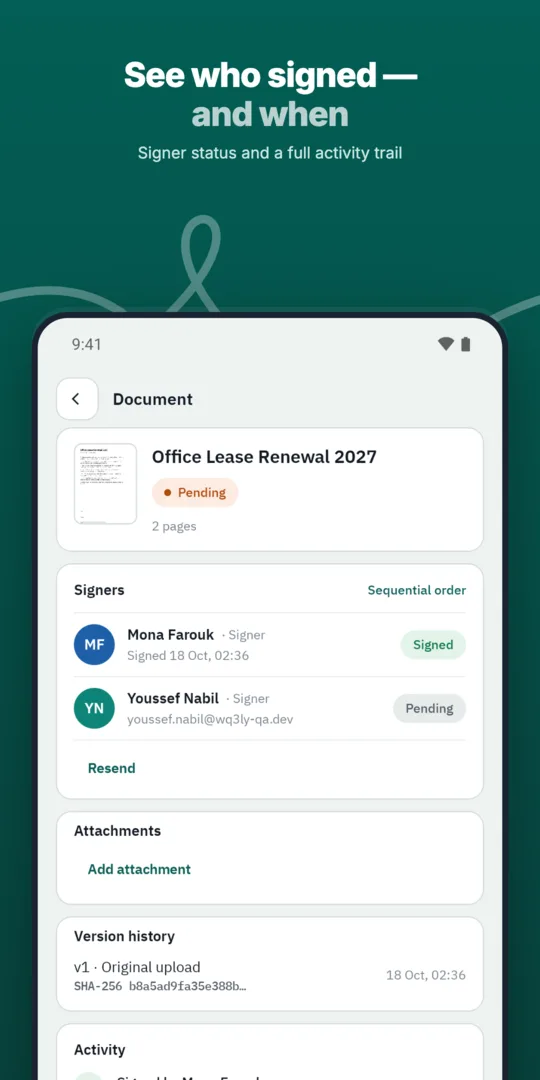
Send it to the candidate.
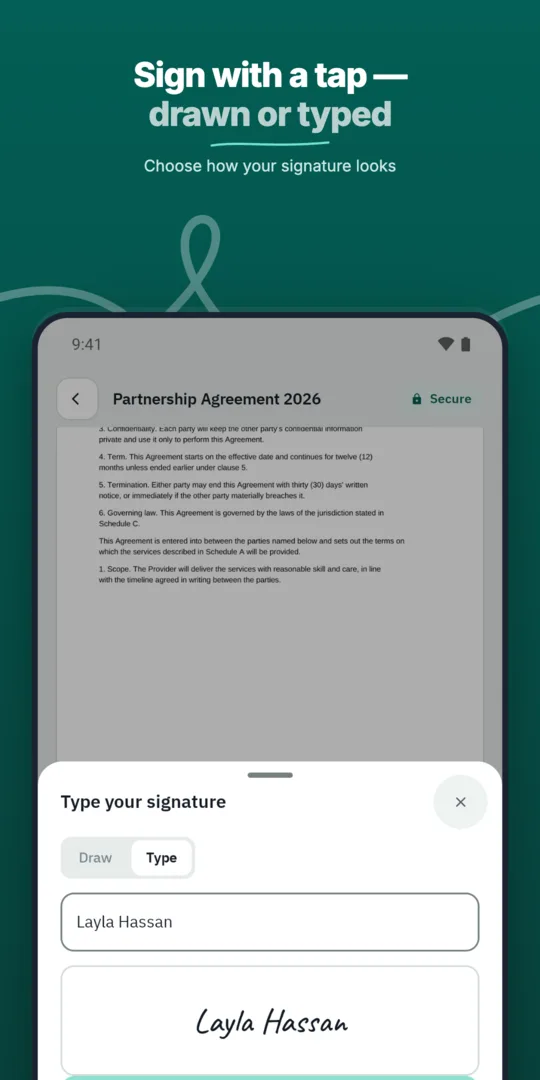
The candidate signs to accept.
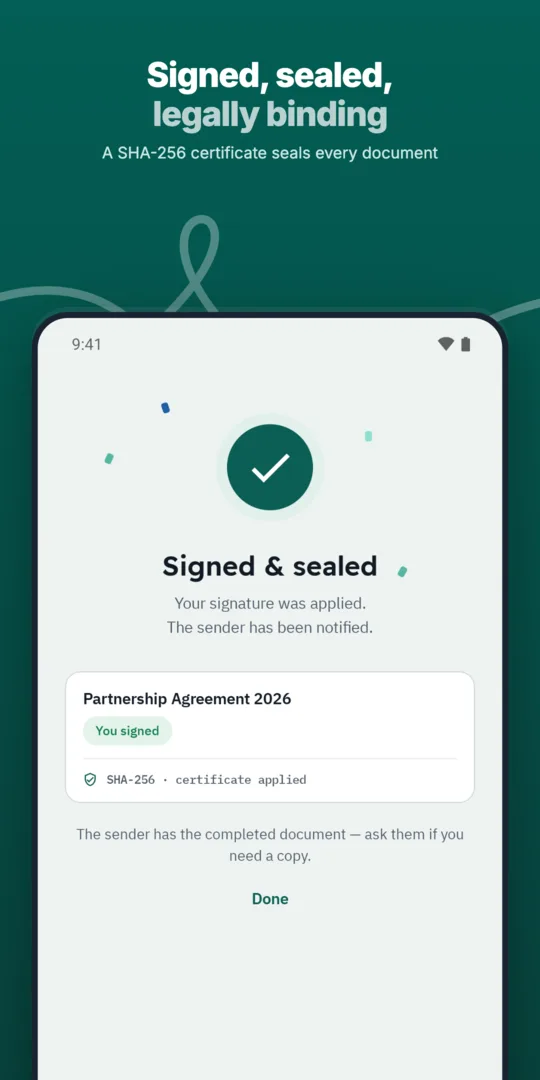
HR is notified immediately.
Send offer letters, employment contracts and policy acknowledgements to employees and managers in the right order.
Prepare, approve and sign employment contracts with new hires without printing or scanning.
WQ3 reminds pending signers so documents keep moving without manual follow-up.
Prepared, sent and signed entirely in WQ3.
Prepared, sent and signed entirely in WQ3.
Prepared, sent and signed entirely in WQ3.
Offer letters signed from a phone in minutes.
See who signed and who is late, with automatic reminders.
A timestamp, document fingerprint and completion certificate for every document, aligned with Law 15 of 2004.
A clear offer starts with a precise description of what the candidate is accepting. Review the job title, employing entity, reporting line, work location or arrangement, proposed start date, and compensation details. Where money is mentioned, state the currency, payment frequency, and whether figures are gross or net rather than leaving those details in separate conversations.
Distinguish confirmed terms from outstanding conditions, such as references or work authorisation, where applicable. Include an acceptance deadline and a contact for questions so candidates can resolve uncertainty before agreeing. These are editorial checks for your HR team before sending, not fields that WQ3 automatically adds to an offer.
Choose signing requirements based on organisational policy and the nature of the offer, not the job title alone. WQ3 has three levels: electronic signature, remote signing, and token signing. Electronic signature suits everyday agreements; consider remote or token signing when organisational requirements or the transaction call for a digital certificate.
If both the candidate and an employer representative must sign, WQ3 allows a different level for each signer within the same document. Where account-holder identity must be established, require the eKYC account-verification add-on with any level; it is not a fourth signing level. Agree these requirements with HR and legal stakeholders before offers are issued.
Offer discussions can change compensation, start dates, or other terms before acceptance. WQ3 documents are locked once sent, so do not assume that a revised term discussed in a message changes the version presented for signature. Check that the final wording reflects the agreement before asking the candidate to accept.
If an issued offer needs correction, prepare a corrected version and clearly explain which version the candidate should review and sign. Keep an internal record of the reason for the change, and follow your organisation’s procedure for handling earlier offers. This is particularly useful when several recruiters or hiring managers have participated in the same negotiation.
After acceptance, use the signed offer as a reference when reviewing later employment documents rather than relying on scattered notes or memory. Reconcile compensation, the start date, and outstanding conditions with the employment contract and any instructions sent to the new hire. Do not assume that signing an offer automatically fulfils every hiring requirement; additional documents may be needed depending on its wording and applicable law.
For internal review, keep the final document, audit trail, and completion certificate together under your organisation’s retention policy. The record explains document activity, while WQ3’s public check page allows authenticity checks without an account. This helps distinguish a signed file from an earlier draft when offer terms are reviewed later.
Explore more
Prepare, approve and sign employment contracts with new hires without printing or scanning.
Learn moreGet NDAs signed before a meeting starts, by one or both parties.
Learn moreRoute purchase orders through internal approvals before they reach the supplier.
Learn moreSign agreements with suppliers in any location, with internal approval first.
Learn moreClose deals faster by sending sales contracts customers can sign the same day.
Learn moreService agreements, onboarding forms and renewals signed by customers remotely.
Learn moreCreate your WQ3 account, or talk to us about your organization’s requirements.
Not necessarily; this depends on its wording and applicable law. Ask legal counsel whether a separate contract or additional documents are needed.
eKYC is an account-verification add-on, not a signing level. It can be required with any level when account-holder identity must be established.
Documents are locked once sent. Prepare a corrected version and clarify which version the candidate should review and sign.
Yes. WQ3 lets you set a different signature level for each signer in the same document.
No. Use the QR code or reference to access the public check page, which supports authenticity checks without an account.