

Sales
Send quotes, sales contracts and customer agreements for signature and close faster.
Use cases
Close deals faster by sending sales contracts customers can sign the same day.
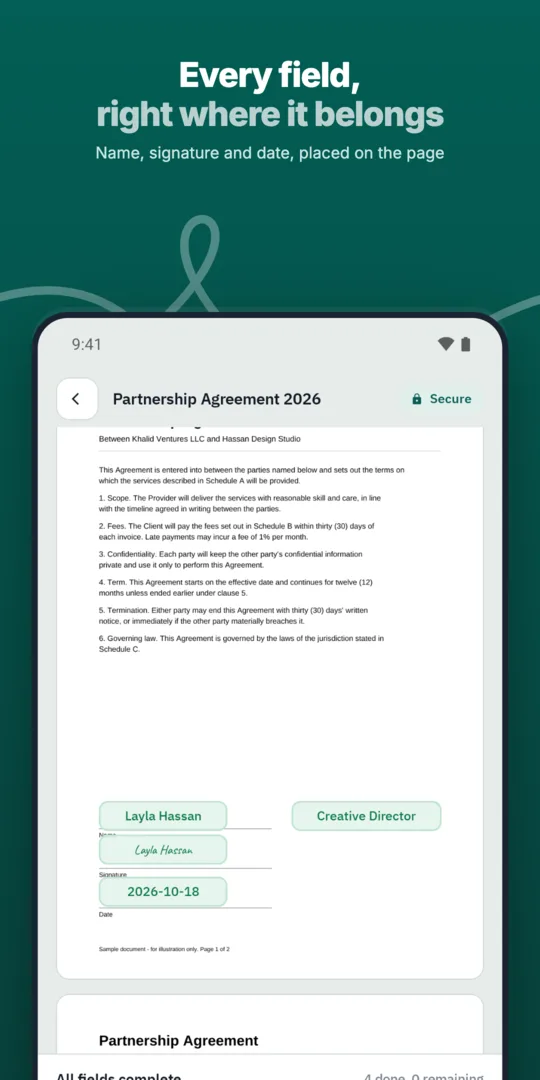
Sales prepares the contract.
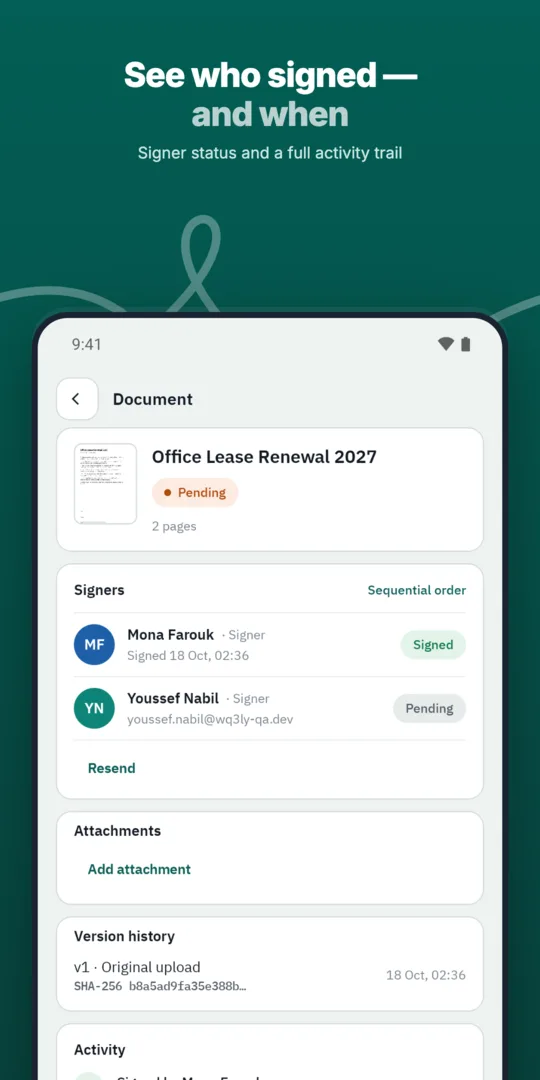
A manager approves pricing.
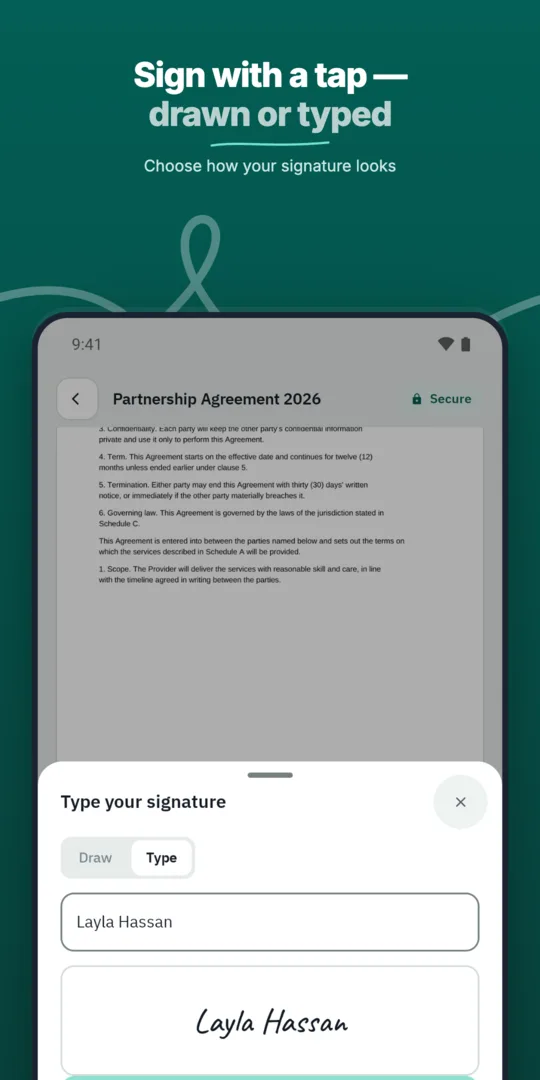
The customer signs.
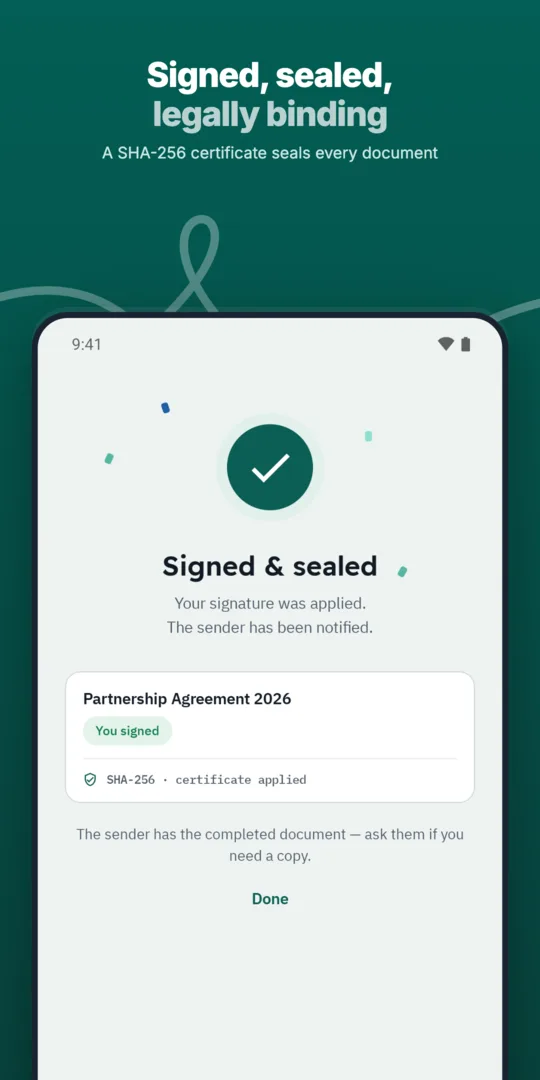
Both sides receive the final copy.
Send quotes, sales contracts and customer agreements for signature and close faster.
Send any business document for signature in a few steps and follow its progress until it is complete.
Service agreements, onboarding forms and renewals signed by customers remotely.
Prepared, sent and signed entirely in WQ3.
Prepared, sent and signed entirely in WQ3.
Prepared, sent and signed entirely in WQ3.
Sales contracts sent straight from the quote.
See who signed and who is late, with automatic reminders.
A timestamp, document fingerprint and completion certificate for every document, aligned with Law 15 of 2004.
Before sending a sales contract for signature, check that its scope, price, payment terms and delivery commitments reflect the negotiated deal. If it refers to a quotation, schedule or specification, identify that reference and its version clearly so both parties understand what is included. This review helps prevent ambiguity when the contract reaches invoicing or fulfilment.
WQ3 locks documents once sent, so treat sending as the point when the text is settled, rather than another negotiation step. Confirm the customer's legal name and check that the intended signer has authority to commit the organisation. Verifying someone's identity and confirming their commercial authority are different checks; a deal may require both before the invitation goes out.
Not every sales contract needs the same signing approach. WQ3 offers exactly three levels: electronic signature, remote signing and token signing. Use electronic signature for everyday agreements, and consider remote or token signing for formal or high-value contracts, or where the customer's organisation requires a digital certificate.
You can assign a different level to each signer within the same document to reflect each party's requirements. Where the transaction calls for proof of the account holder's identity, add eKYC account verification to any level; it is an add-on, not a fourth signing level. Agree these requirements with the customer before sending, rather than discovering different signing expectations after negotiations have finished.
A signed contract records agreement, but it does not itself establish that delivery or payment has happened. When handing a deal to finance, operations or customer service, use the completed contract as the reference for the agreed obligations. Highlight service or shipment start conditions, payment milestones and any acceptance terms that affect what each team should do next.
Keep the audit trail with the deal record so reviewers can trace signing actions rather than reconstruct events from correspondence. WQ3 records actions from sending through final signature, supporting internal review and record keeping. If scope or pricing changes later, document the change in an amendment that clearly references the original agreement instead of treating an unsigned draft as the operative contract.
A sales contract may reach procurement, finance or reviewers through someone who did not participate in signing. WQ3's public verification page lets recipients check authenticity without creating an account. Use the QR code or reference to access the check page; the code appears in the final file and completion certificate.
Verification compares the file's SHA-256 fingerprint with the stored fingerprint and shows signer names, signature level and step timestamps. This helps distinguish a matching copy from a file changed after signing. Authenticity does not settle every legal or commercial question: equivalent legal validity under Egyptian Law No. 15 of 2004 depends on meeting the applicable conditions, rather than being an automatic guarantee for every agreement.
Explore more
Prepare, approve and sign employment contracts with new hires without printing or scanning.
Learn moreSend offer letters candidates can accept and sign from their phone.
Learn moreGet NDAs signed before a meeting starts, by one or both parties.
Learn moreRoute purchase orders through internal approvals before they reach the supplier.
Learn moreSign agreements with suppliers in any location, with internal approval first.
Learn moreService agreements, onboarding forms and renewals signed by customers remotely.
Learn moreCreate your WQ3 account, or talk to us about your organization’s requirements.
No. WQ3 allows a different signing level for each signer in the same document, according to each party's requirements and the contract.
It is an optional account-verification add-on, not a separate signing level. Require an eKYC-verified account when the transaction needs proof of the account holder's identity.
Documents are locked once sent, so settle pricing first. Document any later agreed change clearly and obtain the necessary signatures rather than editing the completed copy.
Use its QR code or reference to open the public verification page without an account, then check the file fingerprint and signing record.
No. The signing record documents signing actions, not receipt of funds. Keep payment and delivery evidence separately, linked to the relevant contract.