

API
Connect your systems to WQ3 to create, send and track documents for signature.
Features
Let users sign inside your own website, portal or application through the WQ3 API.
Signers stay inside your product.
Your system controls when signing starts.
WQ3 handles the signing step and audit trail.
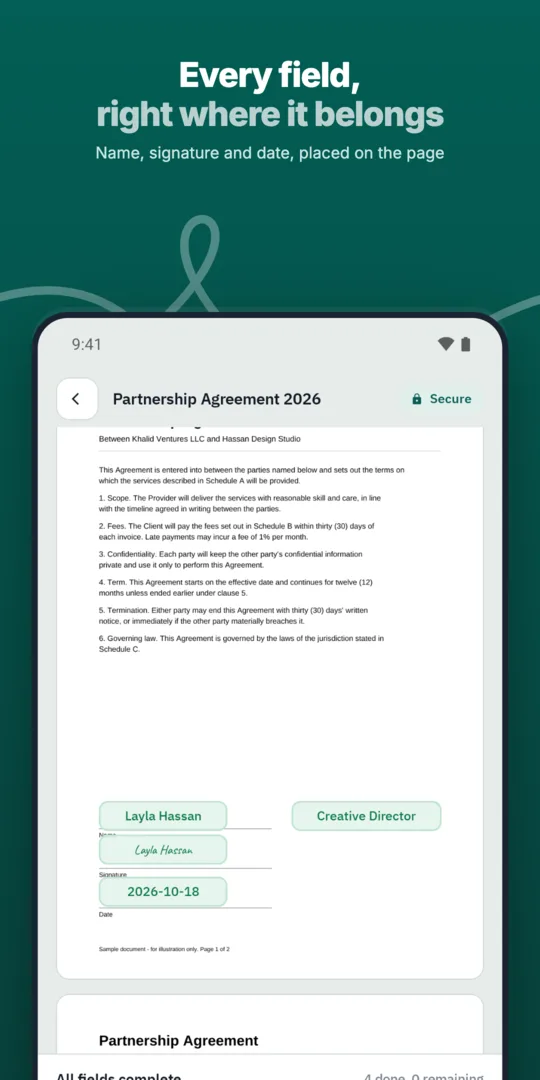
Your system creates the document through the API.
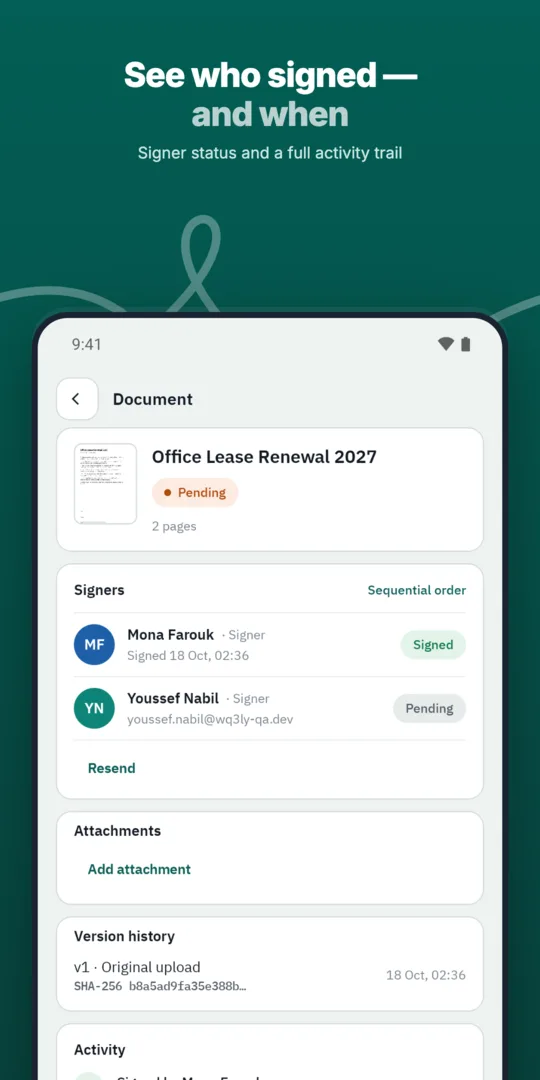
It opens the signing step for the user.
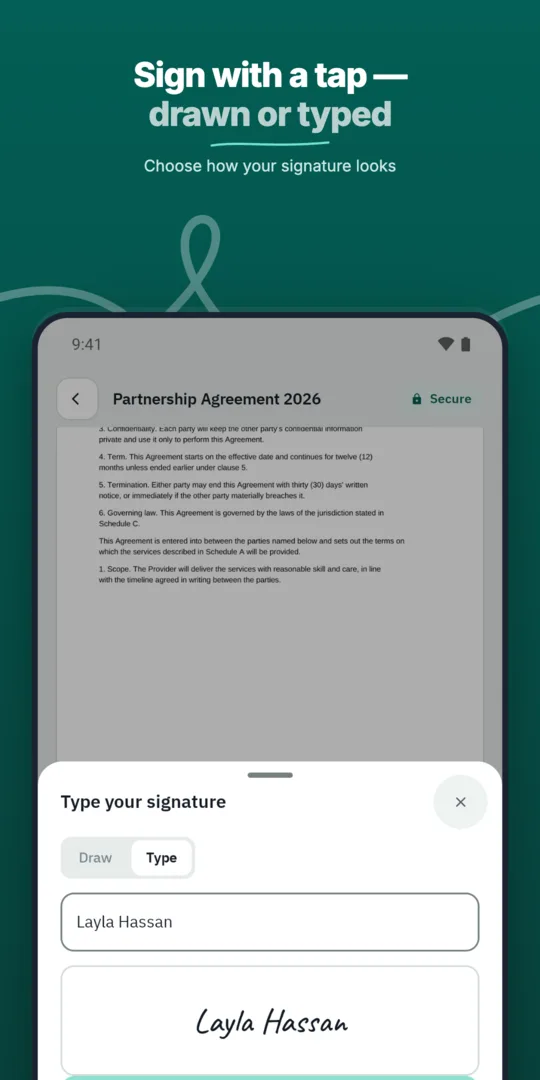
The user signs without leaving your product.
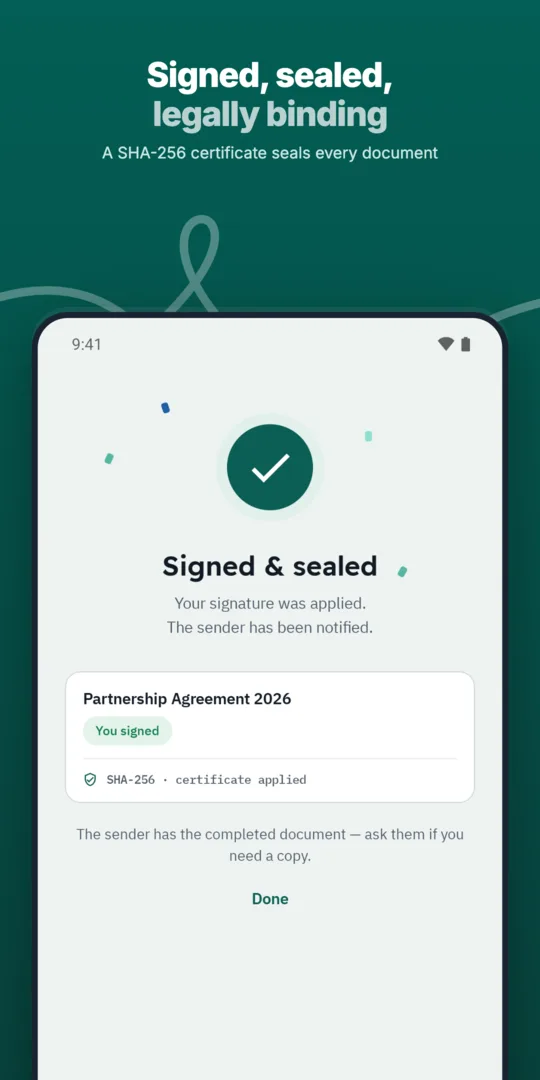
Your system receives the result.
Connect your systems to WQ3 to create, send and track documents for signature.
A REST API to create documents, add signers, send for signature and download signed copies.
Use WQ3 signing from inside your own applications and systems.
When designing your embedded experience, establish a clear boundary between reviewing a document and requesting signatures. WQ3 locks documents once sent, so place checks for names, terms and attachments before sending rather than expecting to edit the document during signing.
Tell users which document they are about to sign, the capacity in which they are signing and what they should review before continuing. If your process requires an internal approval, position it before the signing stage so users are not asked to sign content that is still awaiting approval.
Embedding the signing experience does not, by itself, determine the appropriate signature level for a document. WQ3 has exactly three levels—electronic signature, remote signing and token signing—and allows a different level for each signer in the same document.
When planning the journey, consider electronic signatures for everyday agreements, and remote or token signing for formal or high-value contracts requiring a digital certificate. If you also need proof of the account holder’s identity, eKYC is an account-verification add-on available with any level, not a fourth signing level.
Design for what users and internal teams need after signing, rather than stopping at a success screen. The API supports downloading signed copies, and every completed document includes an audit trail and completion certificate, so decide how these materials will be retained and associated with your application’s transaction record.
Anyone can check a contract’s authenticity without an account through its public verification page, using the QR code and reference. Comparing the file’s SHA-256 fingerprint with the stored fingerprint reveals changes, providing a way to check a copy shared later rather than relying only on the visible signature.
Do not treat access to your portal as a substitute for identifying the intended signer in a transaction. When planning the integration, map each request to the correct participant; WQ3 provides roles and permissions and a private link per signer that shows only what belongs to them.
Likewise, distinguish the convenience of signing inside an application from meeting a contract’s legal requirements. WQ3 is aligned with Egyptian E-Signature Law No. 15 of 2004 and its executive regulations, but legal equivalence with handwritten signatures depends on meeting the applicable conditions, so review signature strength and identity requirements for the transaction.
Explore more
Let every signer sign business documents electronically from a secure invitation link, on any device.
Learn moreSend any business document for signature in a few steps and follow its progress until it is complete.
Learn moreAdd every approver and signer a document needs, each with their own fields and role.
Learn moreDefine the exact order in which approvers and signers act, and WQ3 enforces it.
Learn moreSave the documents you send most often as templates with fields, roles and signing order ready.
Learn moreSend the same document to many recipients at once, each receiving their own copy to sign.
Learn moreCreate your WQ3 account, or talk to us about your organization’s requirements.
Do not conflate the two. WQ3’s eKYC add-on verifies the account holder’s identity; assess that requirement separately from access to your portal.
No. You can assign a different level to each signer in the same document according to the transaction’s requirements.
Complete content reviews and data corrections before sending; WQ3 documents are locked once sent.
Plan to retain the signed copy, audit trail and completion certificate, associated with the relevant transaction record in your system.
No. WQ3 provides a public check page accessible using the QR code and reference, allowing verification without an account.