

Signers don't need an account or software to sign.
Works on desktop and mobile browsers.
Features
Let every signer sign business documents electronically from a secure invitation link, on any device.
Home dashboard
What needs your action, what is waiting on others and what is complete, at a glance.
Works on desktop and mobile browsers.
The final document includes a completion certificate.
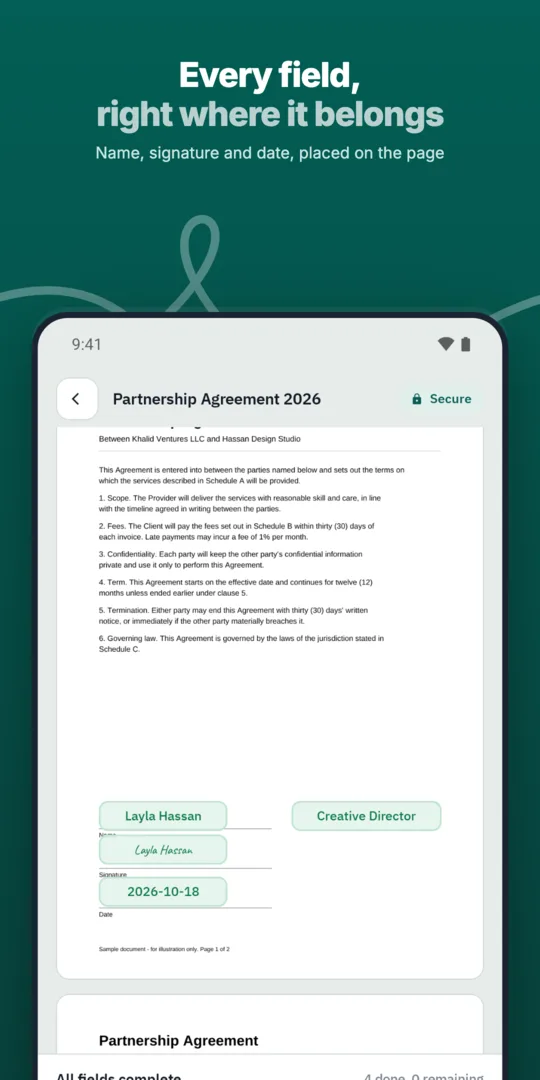
Upload the document and place signature fields.
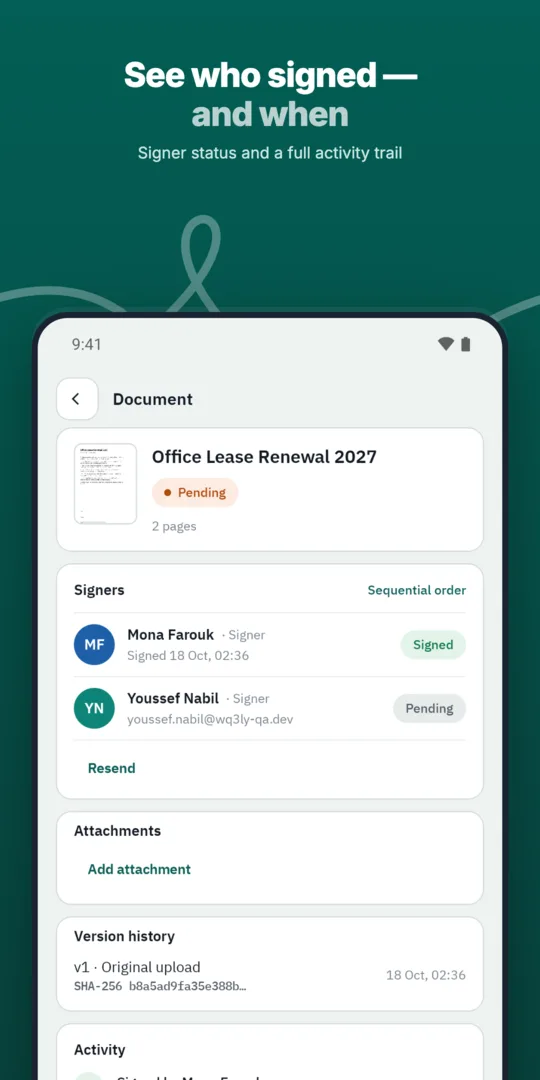
Add each signer's name and email.
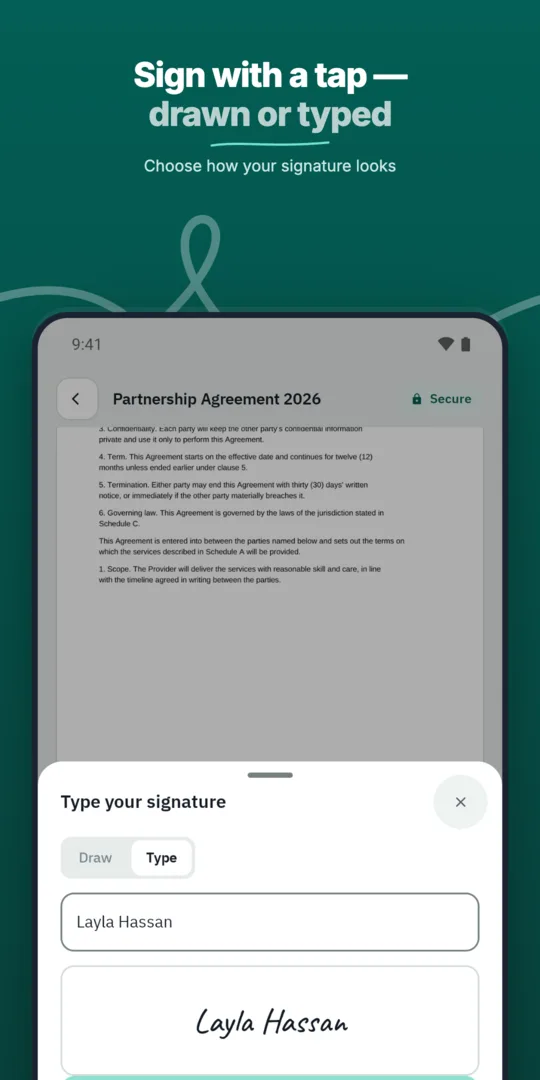
Signers open their invitation and sign.
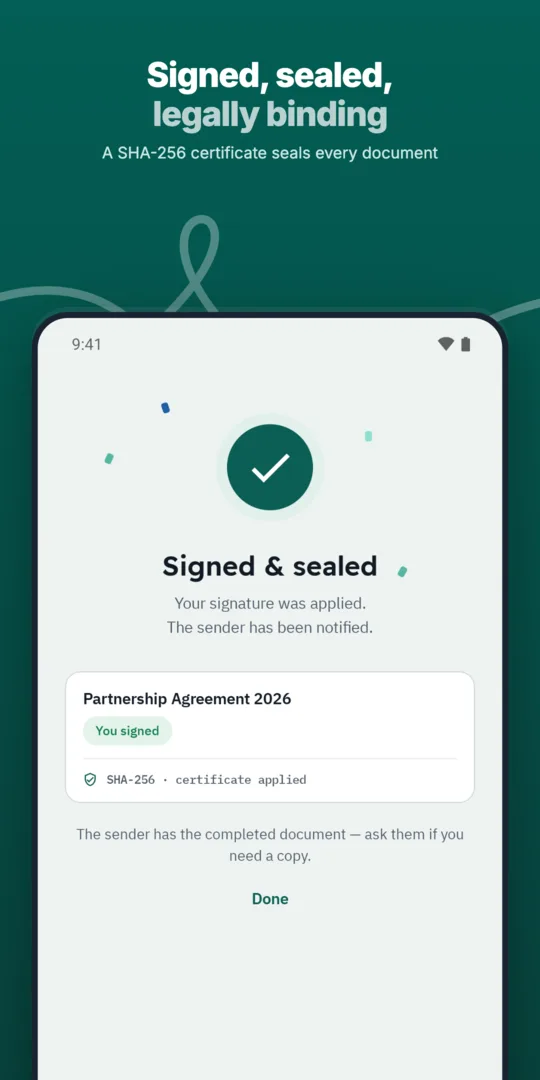
Download the signed final copy.
Send any business document for signature in a few steps and follow its progress until it is complete.
Add every approver and signer a document needs, each with their own fields and role.
Sign with an existing digital certificate or USB token on desktop, alongside electronic signatures.
No. Signers act from the invitation they receive.
Yes, electronic signatures work in mobile browsers.
Electronic signature is suited to everyday agreements, but the choice should start with the transaction’s requirements rather than convenience alone. Before sending, consider the value of the commitment, the receiving organisation’s policy and whether a digital certificate is required.
WQ3 offers exactly three levels: electronic signature, remote signing and token signing. For formal or high-value contracts, consider remote or token signing; you can assign a different level to each signer in the same document rather than applying one level to everyone.
Verifying an account holder’s identity and choosing a signature level are separate decisions. If your transaction requires identity proof, you can require an eKYC-verified account with any of the three signing levels.
eKYC is an account-verification add-on, not a fourth signing level or a substitute for selecting the appropriate level for a contract. Decide on this requirement before inviting participants, so identity checks reflect the agreement’s needs and possession of an invitation link is not mistaken for eKYC verification.
WQ3 locks documents once they are sent, making the pre-send review an important checkpoint. Confirm that terms and attachments are complete, party names and contact details are correct, and each participant has the appropriate fields before signing begins.
Data travels over an encrypted connection using TLS 1.2 or newer, while access controls help determine what each signer can see. These protections serve different purposes: connection encryption protects data in transit, and access control governs availability to participants; neither replaces a careful review of the document’s contents.
When reviewing a completed document, use its QR code or reference to reach the public verification page without an account. The page provides signer names, signature level and step timestamps, while comparison of the file’s SHA-256 fingerprint with the stored fingerprint reveals changes.
This check supports file-integrity review, but does not by itself establish that every legal condition for a particular agreement has been met. WQ3 is aligned with Egyptian E-Signature Law No. 15 of 2004 and its executive regulations, which recognise electronic signatures and documents when their conditions are met; review transaction-specific requirements rather than treating a successful check as a blanket legal guarantee.
Explore more
Send any business document for signature in a few steps and follow its progress until it is complete.
Learn moreAdd every approver and signer a document needs, each with their own fields and role.
Learn moreDefine the exact order in which approvers and signers act, and WQ3 enforces it.
Learn moreSave the documents you send most often as templates with fields, roles and signing order ready.
Learn moreSend the same document to many recipients at once, each receiving their own copy to sign.
Learn moreEvery action on a document is recorded, from sending to final signature, in a clear audit trail.
Learn moreCreate your WQ3 account, or talk to us about your organization’s requirements.
No. You can assign different levels to signers within one document according to the agreement’s or organisation’s requirements.
No. It verifies the account holder’s identity and can be required alongside any signing level.
Consider them for formal or high-value contracts, or when an organisation requires a digital certificate.
Use the QR code or reference to access public verification, review the record and compare the file fingerprint without an account.
No. It supports file-integrity verification; legal validity depends on applicable legal conditions and transaction requirements.