

Procurement
Route purchase orders and supplier agreements through internal approvals and supplier signature.
Use cases
Sign agreements with suppliers in any location, with internal approval first.
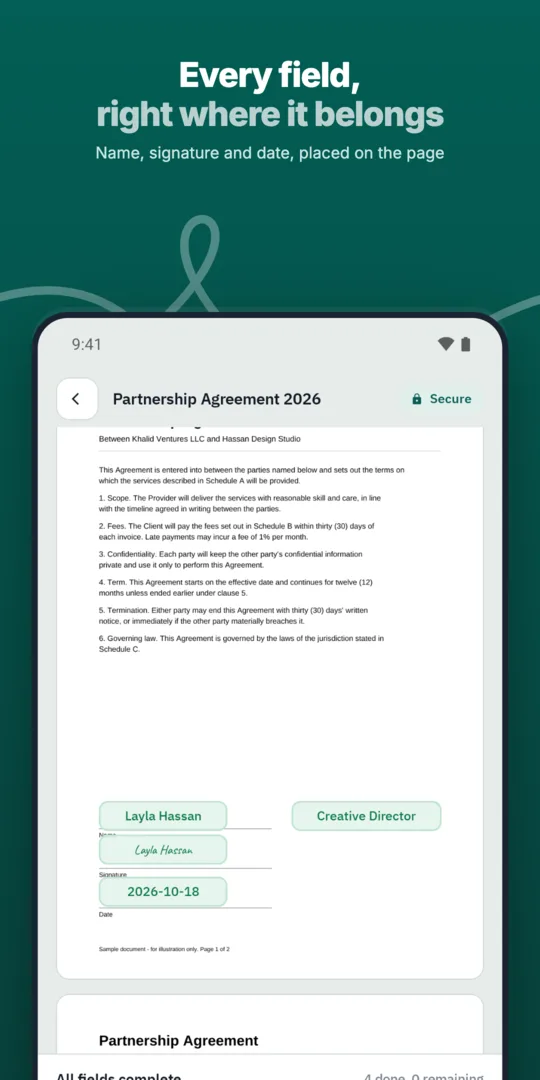
Upload the agreement.
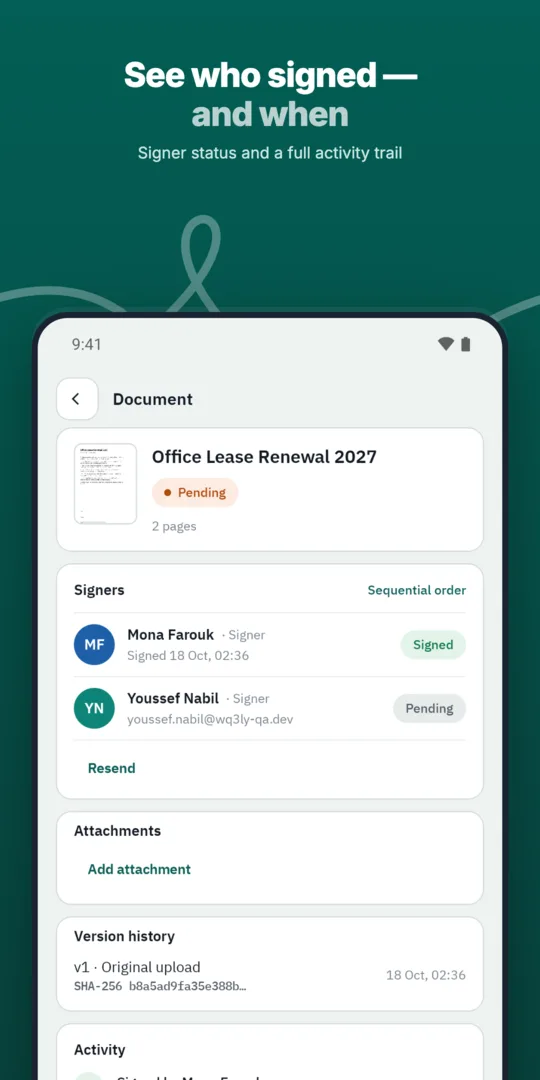
Legal and procurement approve.
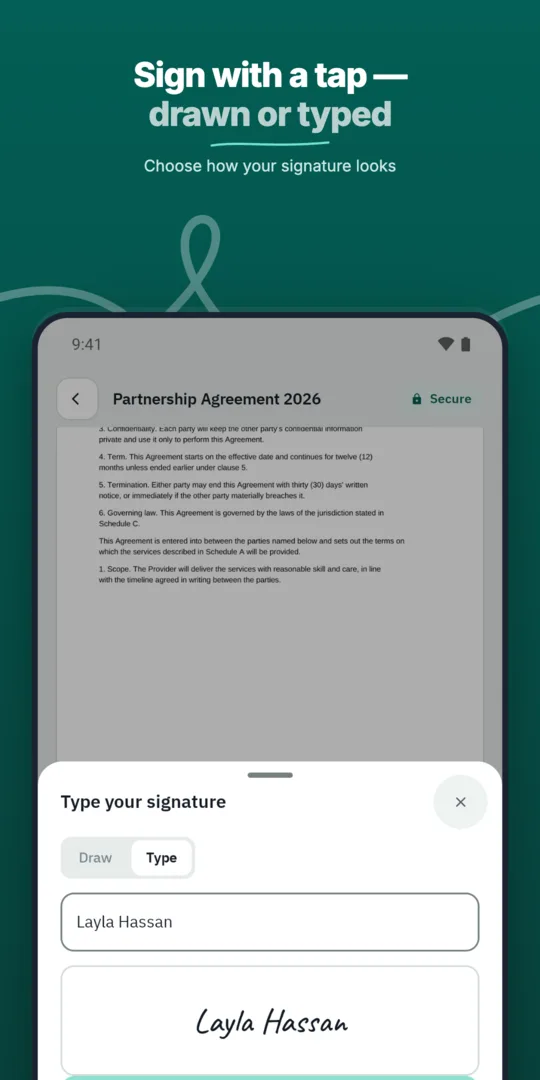
The supplier signs remotely.
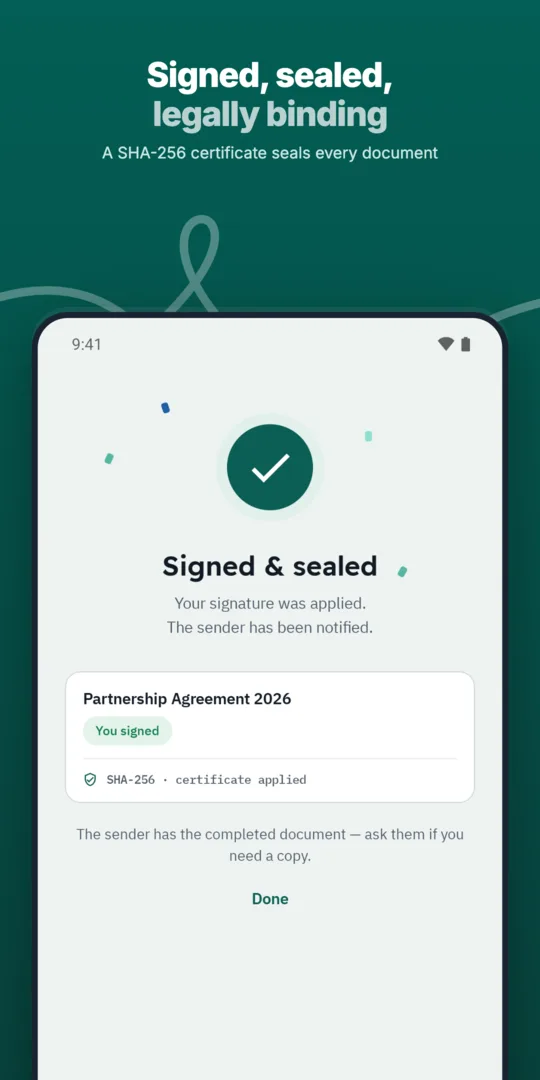
The authorized signatory countersigns.
Route purchase orders and supplier agreements through internal approvals and supplier signature.
Collect signatures from people in other cities or countries without printing, scanning or couriers.
Route purchase orders through internal approvals before they reach the supplier.
Prepared, sent and signed entirely in WQ3.
Prepared, sent and signed entirely in WQ3.
Prepared, sent and signed entirely in WQ3.
Recurring supplier agreements in one template.
See who signed and who is late, with automatic reminders.
A timestamp, document fingerprint and completion certificate for every document, aligned with Law 15 of 2004.
Before sending a supplier agreement, check the contracting entity’s legal name, supply scope, payment terms and referenced documents. If pricing or service specifications sit in schedules, make sure the agreement clearly identifies the intended versions. This helps avoid signing a document that points to outdated or incomplete terms.
WQ3 locks documents once sent, so treat sending as the end of drafting, not an invitation to continue negotiating. Resolve open points with the supplier beforehand, including acceptance criteria, renewal and termination. If a material term changes later, agree with your legal team how to document the amendment rather than treating a locally edited file as part of the signed agreement.
Match the signature level to the agreement and your organisation’s requirements. WQ3 offers three levels: electronic signature, remote signing and token signing, with a different level available for each signer in the same document. Use electronic signature for everyday agreements, and consider remote or token signing for formal or high-value contracts, subject to legal review.
Where your process requires identity verification, you can require an eKYC-verified account with any of the three levels. Identity verification does not, by itself, establish authority to bind the supplier’s company. Check the signer’s authorisation and its limits separately, especially when the person negotiating the agreement is not the person who will sign it.
Decide what procurement will need when reviewing the agreement after signature. Keep the final document, completion certificate and audit trail together within your organisation’s record-keeping practices. The audit trail records actions on the document, helping reviewers reconstruct what happened without relying only on email exchanges or participants’ recollections.
When checking a copy circulated internally, WQ3’s public verification page lets a reviewer confirm authenticity without an account, using the QR code and reference. It compares the file’s SHA-256 fingerprint with the stored fingerprint and shows signer names, signature level and step timestamps. Use that check to establish file integrity, while assessing fulfilment of supply obligations separately against the agreement and delivery evidence.
For an overseas supplier, the ability to sign from their location should not replace a review of contract terms. Agree on governing law, dispute resolution and the controlling language if the contract has multiple language versions. Also review any requirements specific to the transaction or parties before choosing the signing method.
WQ3 is aligned with Egyptian E-Signature Law No. 15 of 2004, which recognises electronic signatures and documents when its conditions are met. Its compliance information also describes alignment with ESIGN, UETA and eIDAS, but this does not mean every agreement is automatically accepted in every jurisdiction. Seek transaction-specific legal review, particularly where special formalities or significant obligations are involved.
Explore more
Prepare, approve and sign employment contracts with new hires without printing or scanning.
Learn moreSend offer letters candidates can accept and sign from their phone.
Learn moreGet NDAs signed before a meeting starts, by one or both parties.
Learn moreRoute purchase orders through internal approvals before they reach the supplier.
Learn moreClose deals faster by sending sales contracts customers can sign the same day.
Learn moreService agreements, onboarding forms and renewals signed by customers remotely.
Learn moreCreate your WQ3 account, or talk to us about your organization’s requirements.
No. WQ3 allows a different level for each signer in one document. Choose according to the agreement’s requirements and your organisation’s policy.
No. It is an account-verification add-on that can be used with any of the three signature levels.
Not by itself. Review the signer’s authorisation and its limits separately from identity verification.
Yes. The public verification page supports authenticity checks without an account, using the QR code, reference and file fingerprint comparison.
No. It records document actions, not supply performance. Keep delivery and acceptance evidence alongside the agreement under your organisation’s procedures.