

Send for signature
Send any business document for signature in a few steps and follow its progress until it is complete.
Features
Each signer receives a personal, secure link that opens only their part of the document.
No account or software needed to sign.
Each link belongs to one signer.
Opening and signing are recorded in the audit trail.
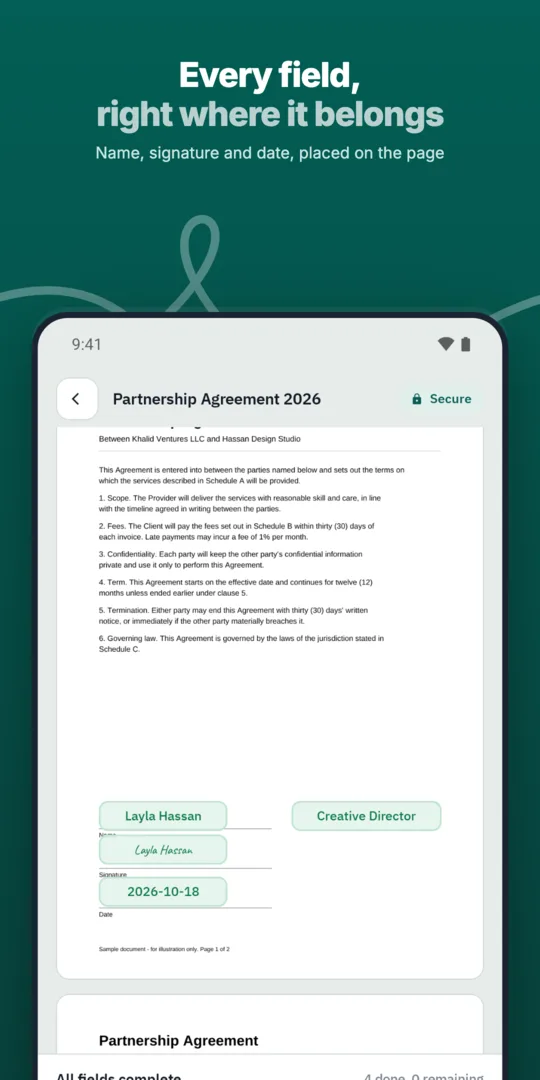
Add the signer's name and email.
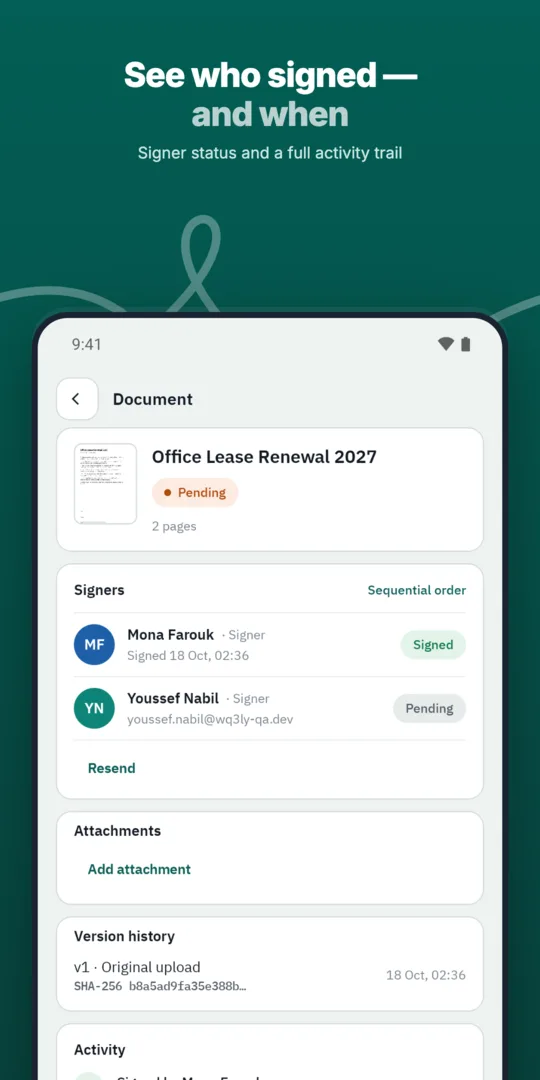
WQ3 sends a personal signing link.
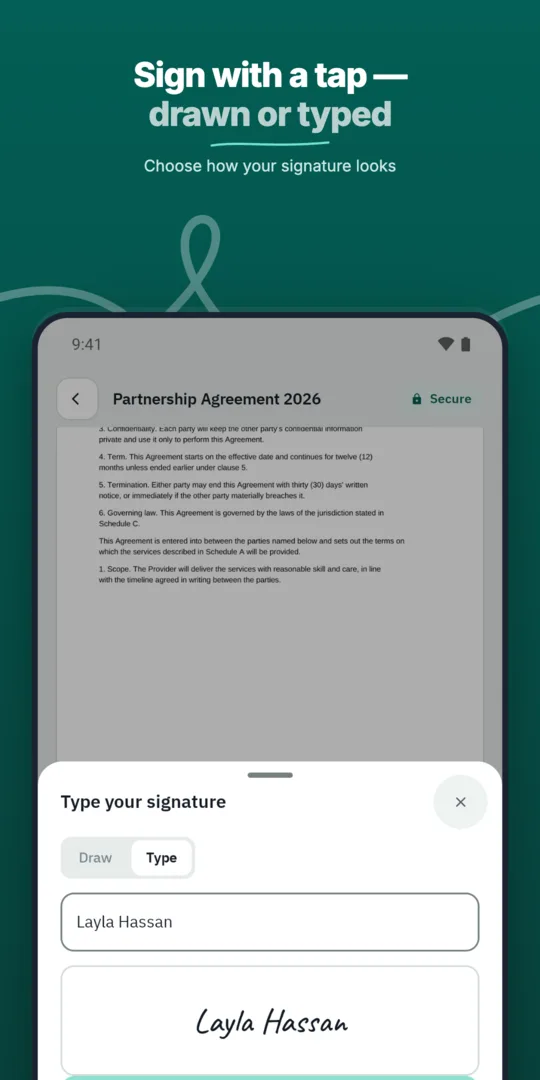
The signer opens the link and completes their fields.
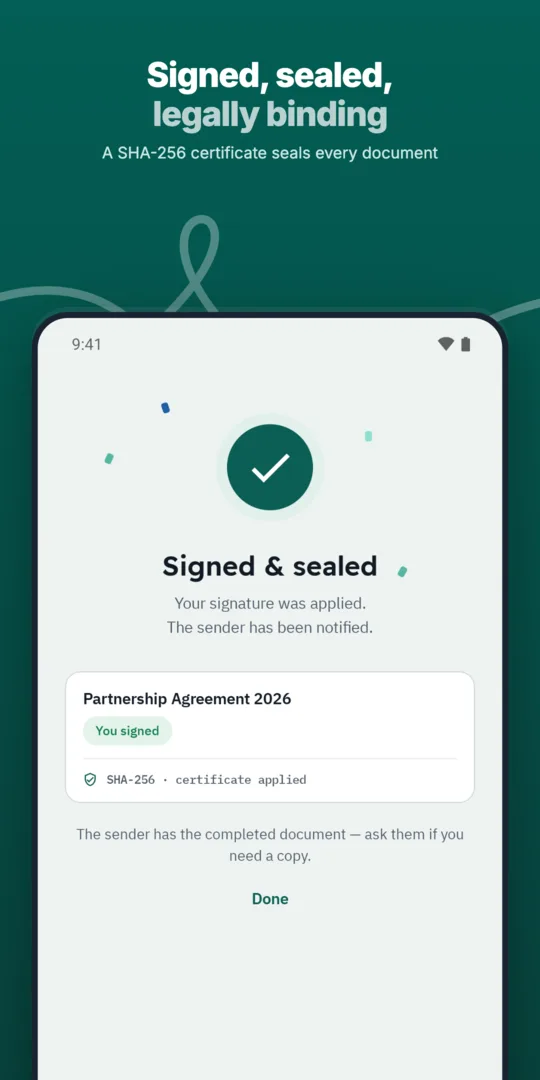
The next step in the workflow starts.
Send any business document for signature in a few steps and follow its progress until it is complete.
WQ3 reminds pending signers so documents keep moving without manual follow-up.
Every action on a document is recorded, from sending to final signature, in a clear audit trail.
Each link is issued to a specific signer, and every action on it is recorded against that signer.
A signing link provides access to the signing step; it does not, by itself, determine the signature strength required. WQ3 offers three levels: electronic signature, remote signing and token signing. You can assign a different level to each signer in the same document, based on the agreement’s requirements and each party’s role.
Choose electronic signature for everyday agreements, or remote or token signing for formal, high-value contracts. Where proof of the account holder’s identity is required, add eKYC account verification with any level. Decide these requirements before sending invitations so recipients understand what is expected, rather than confusing convenient document access with identity verification.
WQ3 locks documents once they are sent, making the final pre-send review important. Check that the file contains the agreed wording and that each recipient’s name, email address and assigned fields match the intended party. This review connects the invitation to the right person and the responsibility they are expected to fulfil.
Consider telling recipients in advance which document to expect, who is sending it and why their signature is needed. Ask them to use their own invitation rather than pass it to a colleague to sign on their behalf. If someone is not the intended recipient, they should clarify that with the sender before proceeding; possession of a link is not, by itself, authority to enter an agreement.
Signing-link security is one part of protecting the transaction, not a standalone guarantee covering every concern. WQ3 transmits data over TLS 1.2 or newer and uses roles and permissions to control access. These measures address connection and access protection, while identity verification and document integrity address different questions.
After signing, a SHA-256 document fingerprint helps reveal changes to the final file. Your internal review should therefore distinguish between how the document was accessed, which signature level was used and whether the completed file remains unchanged. Looking at these questions together is more useful than treating the invitation link alone as evidence of every aspect of trust.
When preparing invitations, also decide how the completed agreement will be retained and reviewed. A completed WQ3 document comes with an audit trail and completion certificate that support record keeping and internal review. Keep the final file together with this evidence rather than treating the invitation email as the primary transaction record.
For later checks, WQ3 provides a public verification page accessible through a QR code and reference, without an account. Its purpose differs from a signing invitation: it supports checking authenticity and reviewing signer names, signature level and timestamps. For legal assessment, remember that Egypt’s E-Signature Law No. 15 of 2004 recognises legal validity when its conditions are met; a link alone does not establish that every condition has been satisfied.
Explore more
Let every signer sign business documents electronically from a secure invitation link, on any device.
Learn moreSend any business document for signature in a few steps and follow its progress until it is complete.
Learn moreAdd every approver and signer a document needs, each with their own fields and role.
Learn moreDefine the exact order in which approvers and signers act, and WQ3 enforces it.
Learn moreSave the documents you send most often as templates with fields, roles and signing order ready.
Learn moreSend the same document to many recipients at once, each receiving their own copy to sign.
Learn moreCreate your WQ3 account, or talk to us about your organization’s requirements.
No. The link provides access to the signing step. WQ3’s three levels are electronic signature, remote signing and token signing.
Yes. You can require an eKYC-verified account with any signature level. Account-free signing should therefore not be treated as a rule for every workflow configuration.
Do not proceed on their behalf. Contact the sender to clarify the intended recipient and signing role before taking action.
Use the public verification page through the QR code and reference accompanying the final document and completion certificate. It is intended for checking contract authenticity, rather than completing a signing step.
No. Legal assessment depends on meeting applicable conditions, not simply on how the invitation was delivered. WQ3 is aligned with Egypt’s E-Signature Law No. 15 of 2004 and supports identity checks, document integrity and audit evidence.